The Top 6 Memory Digitizers
iMemories • Capture • Costco / Walgreens
(a second step exists — and nobody mentioned it)
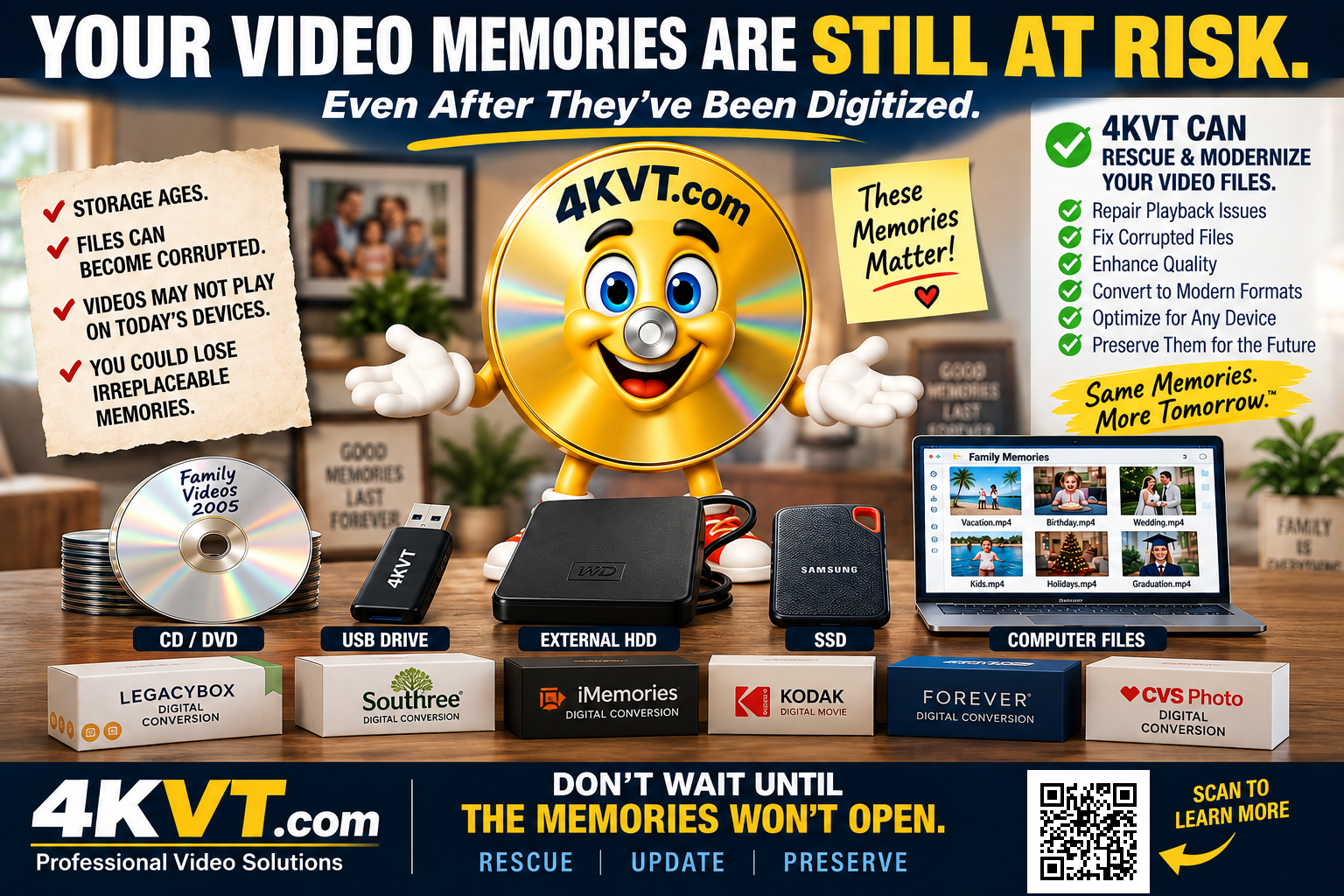
4KVT is Step 2 — we complete what digitizing started.
your digital file needs optimization to resolve the technical issues conversion alone cannot.
That is what 4KVT does.
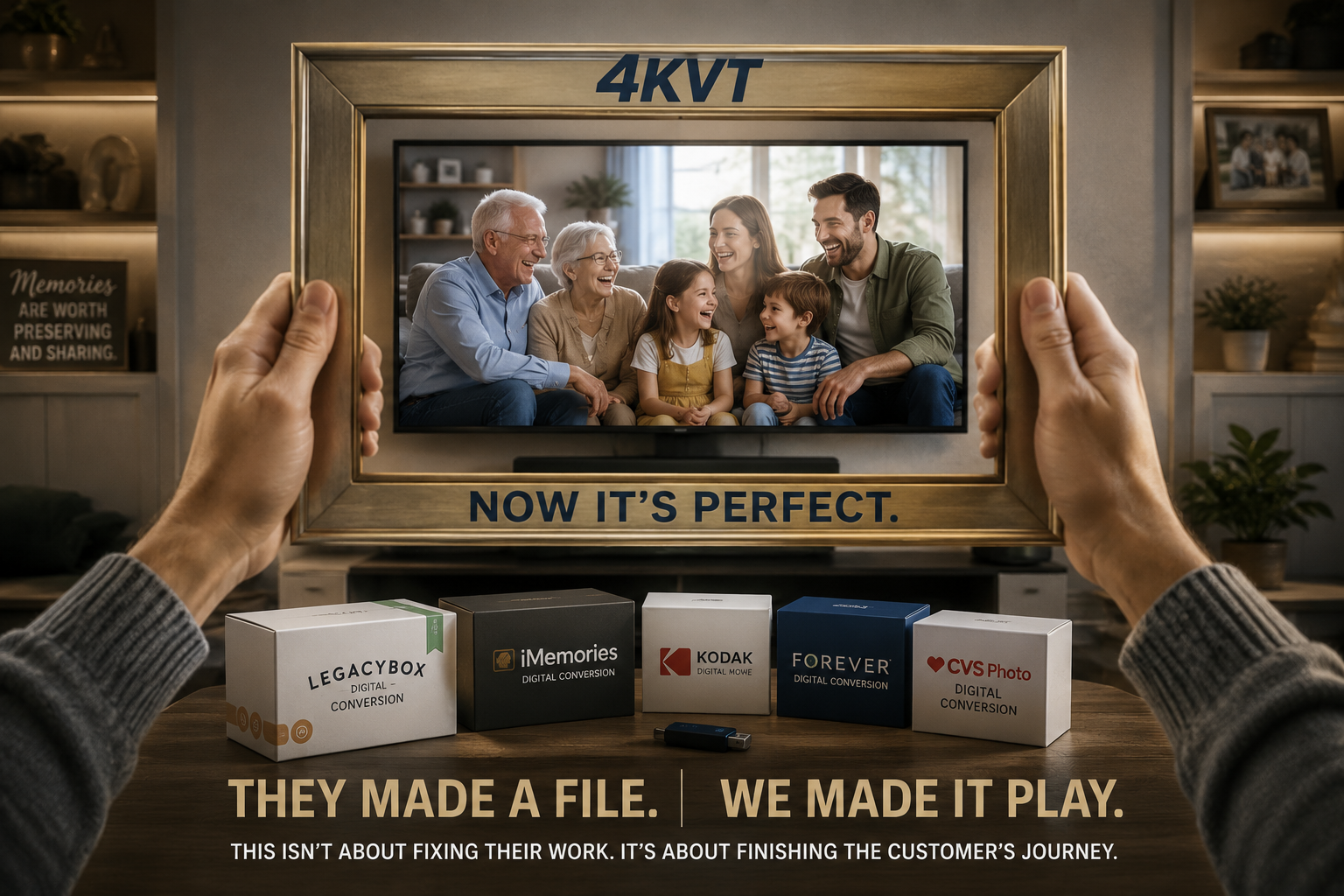
Naming The Category Nobody Named Before
What BBAMDs Do
- Accept your physical analog media by mail
- Run it through high-volume conversion equipment
- Return a digital file on USB, DVD, or cloud
- Declare the job complete
- Move on to the next order
What BBAMDs Do Not Do
- Individually Optimize the file for your TV, phone, or to play on all devices
- Reduce file size for sharing or uploading
- Improve quality beyond what the tape provided
- Ensure the file plays on modern displays
- Provide any service after delivery
- Address data decay of the digital file they just created
Individually Optimizing the file for your TV, phone, or device was never part of their service.
To make the digitalization process complete from Digital Video Reconversion to Digital Video Optimization you need 4KVT.
 👆 Click Me and I Will Explain it!
 YES, UPDATE MY VIDEO FILES ON COMPUTER, USB, OR HARD DRIVE PLEASE!
The Photographer & The Framer
Memory Digitizers
Just in different parts of the same journey.
It’s about finishing the customer’s journey.
Yes, Update My Video files on computer, USB, or hard drive please!
The Seven BBAMD (Big Box Analog Memory Digitizers) Technical Conditions That Exist After Digitizing — Documented
The following is not opinion. Every condition below is documented — in their own Big Box Analog Memory Digitizers (BBAMD) support pages, customer reviews, and BBB complaint records.
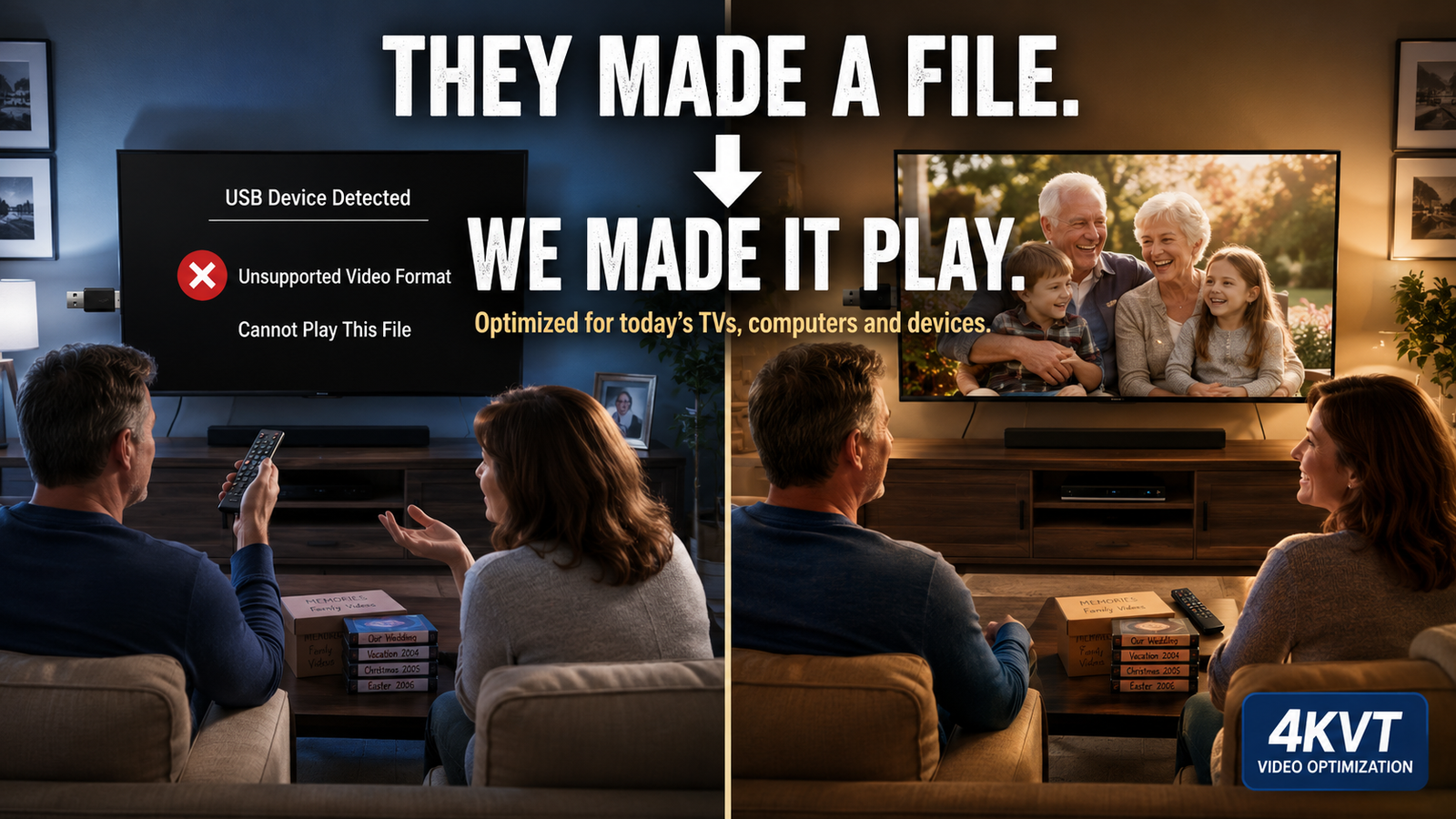
Your Converted Files Won’t Play on Your TV
LegacyBox stated it in their own support documentation: “The thumb drive included with your Legacybox order is formatted for use on computers, not televisions. Because TV manufacturers support different file systems and codecs, thumb drive compatibility can vary widely by TV model.” They created the problem and documented it. Nobody fixed it. Meanwhile, the file sitting unplayed on that USB drive is also aging — data decay does not pause because the file is unwatchable.
Files Too Large to Share With Anyone
A typical VHS tape converted to digital produces a raw file between 4 and 8 gigabytes. Not one of the Top 6 BBAMDs reduces that file size after conversion. You cannot email it. You cannot text it to family. You cannot upload it to Facebook, Google Drive, or YouTube without a lengthy struggle. The memories your family needs to see are trapped inside a file too large to move — compounding every year as the storage media aging around it brings it closer to unreadable.
Quality Issues They Admitted But Never Disclosed Up Front
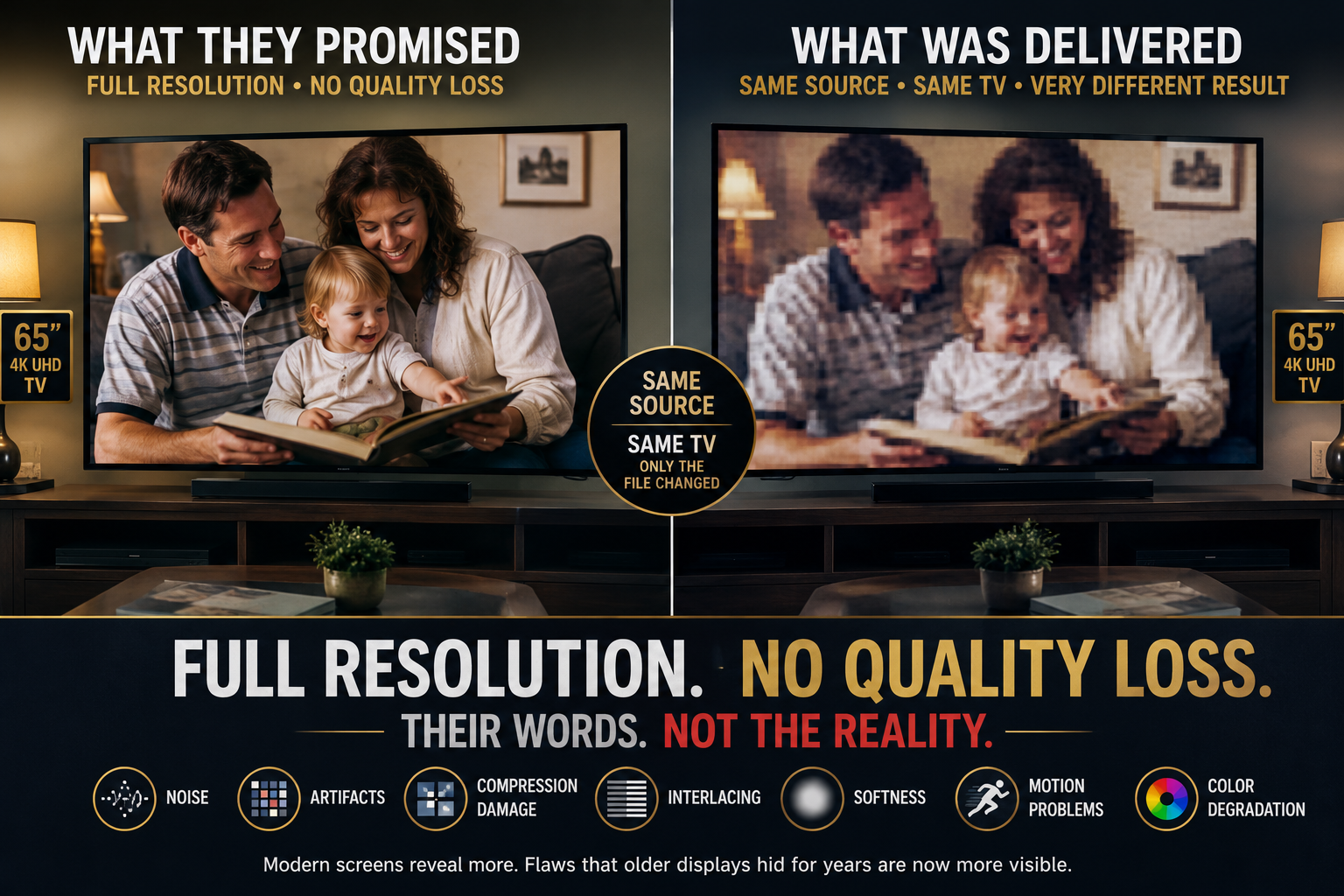
Southtree marketed “Full Resolution… with no quality loss” and delivered a 16:9 1080i HD MiniDV tape at 4:3 and 480p. Their response: “you should have read the help article that explains our limitations.” LegacyBox is equally clear in their FAQ: “We do not offer the following: color correction, brightening, HD remastering, combining footage, or otherwise altering the composition of the original media.” What goes in, comes out. On today’s large high-resolution screens, flaws that older displays hid for years become more visible. 4KVT optimizes what technology can improve and delivers the best possible version of what the source file contains — but cannot restore what the original recording never had.
Lost, Damaged, or Never Returned
BBB complaints against LegacyBox, Southtree, and Kodak Digitizing — which are the same company operating under three different brand names out of the same facility in Chattanooga, Tennessee — document customers who never got their media back. “After almost 6 months they have said they have lost my material.” “They LOST MY 8mm FAMILY HISTORY — 40+ years of memories.” One customer discovered the damage only while preparing a memorial video for a deceased husband — 9 of 26 tapes marked non-transferable, returned without warning. These are not isolated incidents. Customer review ratings for LegacyBox and its sister brands vary widely from platform to platform — ranging from under 2 stars on some review sites to notably higher elsewhere — but across every platform, a consistent pattern of unsatisfied customers reporting lost, damaged, or mishandled media shows up in the day-to-day reviews being posted.
You Don’t Own It If You Can’t Use It — or Have to Keep Paying for It
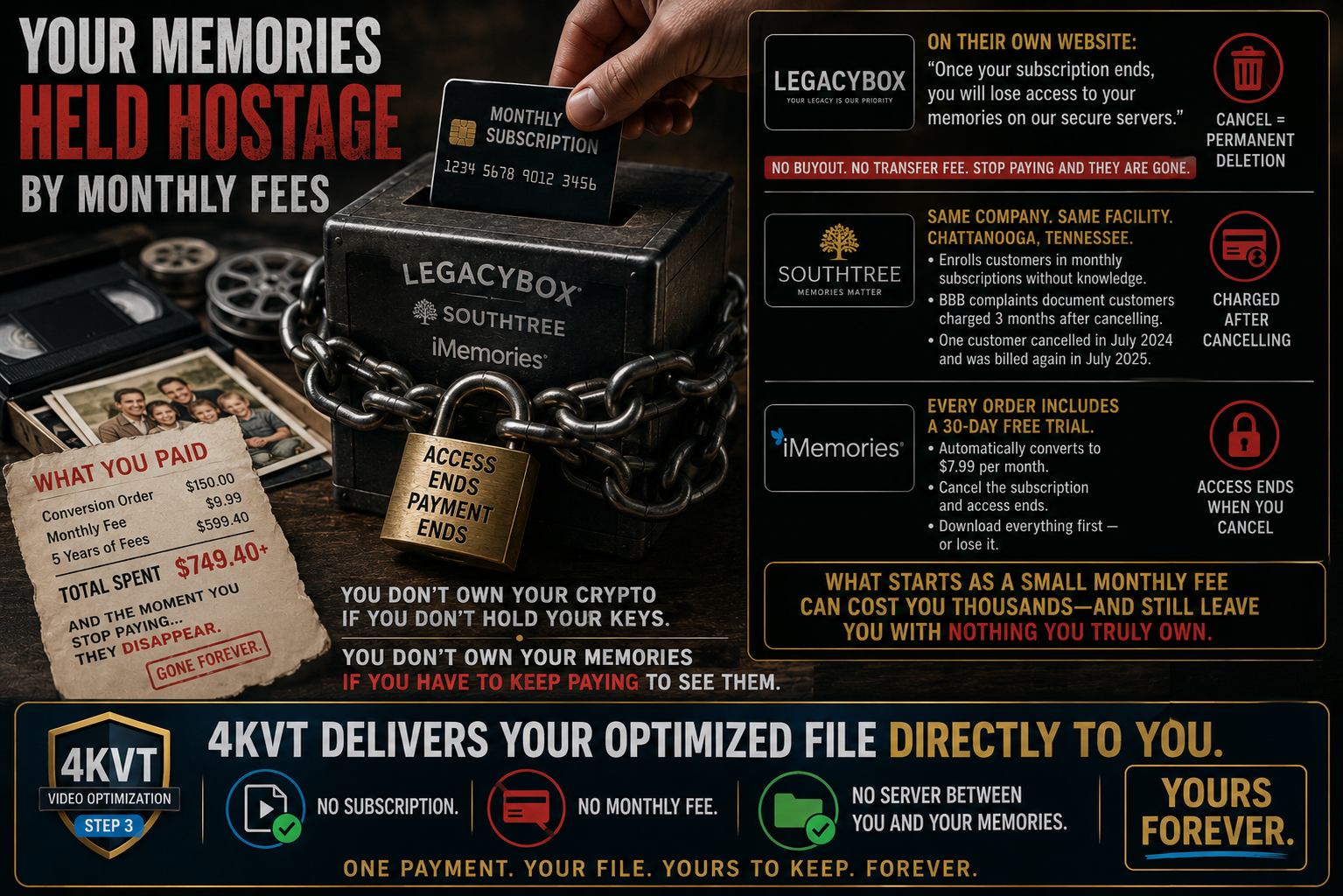
LegacyBox’s own support documentation confirms what you get back: “In your completed Legacybox, you will find your original tapes, reels, and/or photos, along with your new digital files on the storage options that were selected at the time of purchase.” That’s accurate. The thumb drive or DVD/CD set is yours the moment it arrives — no subscription attached, no monthly fee to keep possession of it. (But with hidden usability caveats you may not be aware of.)
Ownership isn’t the problem. Usability is. LegacyBox has also confirmed, in their own words, that the thumb drive they ship “is formatted for use on computers, not televisions.” And a DVD/CD set depends on a disc player — hardware that’s diminishing fast: Samsung stopped making them in 2019, LG followed in December 2024, and only Sony and Panasonic remain as major manufacturers still building new units. You own the disc. Whether the next TV or computer you buy has anything to play it on is no longer something you can assume.
Every order from LegacyBox automatically enrolls you in LegacyBox Cloud — the one format that reliably plays back anywhere, and the one you don’t own outright. In their own help center, LegacyBox states plainly: “Once your subscription ends, you will lose access to your memories on our secure servers.” Their Services Terms and Conditions go further: once an account is canceled or terminated, “user data and its backups will be removed from our storage servers” and “all of your data will be deleted.” There is no buyout and no transfer fee. Access depended on the subscription — not possession of the files.
Southtree — the same company, the same facility — enrolls customers in monthly subscriptions without their knowledge. BBB complaints document customers charged three months after cancelling. iMemories includes a 30-day free trial that automatically converts to $7.99 per month. Cancel and lose access. Download everything first — or lose it — though downloading it just gives you local possession of the same unoptimized file Problem 1 already covers, not a fix for playback.
A 10-item LegacyBox kit runs $319.98, and continued Cloud access costs $4.99 per month — so after five years you have spent over $600 for continued access that depended on someone else’s servers.
So the real math isn’t “you own it” or “you don’t.” It’s: what you own, you often can’t use. What you can use, you don’t own — and it costs you every month to keep using it.
You don’t own your crypto if you don’t hold your keys.
You don’t own your memories if the only usable copy lives on someone else’s server.
4KVT delivers your optimized file directly to you.
Plays on all devices. No subscription. No server between you and your memories.
Yours forever — and actually usable.
Weeks of Waiting — While Your Media Keeps Aging
LegacyBox standard turnaround: 4 to 6 weeks. Southtree: 6 to 8 weeks. Capture: approximately 4 weeks. Costco and Walgreens outsourced, variable — and both have since dropped the service entirely, leaving customers with nowhere to turn. During every week your original tapes spend in a shipping box traveling to a warehouse and back, the data decay clock does not pause. Every week of wait is another week of deterioration on irreplaceable, non-recoverable media. 4KVT returns your optimized file typically within hours — and your originals never leave your hands.
Step Two Was Never Part of Their Business Model
No BBAMD optimizes the file for modern device playback. None reduce file size for sharing. None modernize the codec for smart TV compatibility. None address the data decay of the digital file they just created — which begins the moment it is written to a USB drive or DVD. Not because they forgot. Not because they don’t care. Because analog-to-digital conversion is all they were ever designed to do. Step two requires a different kind of service entirely. Step two is 4KVT.
Yes, Update My Video files on computer, USB, or hard drive please!
We Step In Where They Left Off
Digitized and optimized. Converted and preserved. Step one and step two. The whole job, finally finished.
Yes, Update My Video files on computer, USB, or hard drive please!
A Word To The Big Box Analog Memory Digitizers (BBAMD)
You built something real. Millions of families have their memories in digital form today because of LegacyBox, Southtree, Kodak Digitizing, iMemories, Capture, and the retailers who made conversion accessible at scale. That is genuinely valuable work and we respect what you created.
But your customers come back with problems you were not designed to solve — files that won’t play on their TV, files too large to share, quality that disappoints on modern displays, subscription fees they didn’t expect, and digital files that are already beginning to decay on the media you shipped back to them.
We solve all of it. Not instead of you — after you.
4KVT was built to be the Step 2 your customers need. Together — your digitizing and our optimization — your customers get a complete solution. You look like a full-service provider. They get memories that actually play. Everyone wins.
If you would like to offer your customers a complete solution — digitized by you, optimized by 4KVT — we welcome the Referrals.
Together, we make sure it plays.
We Complete The Journey.
They Made A File. We Made It Play.
Upload your converted video file today. We’ll optimize it for reliable playback on every TV, phone, and device you own — fast turnaround, no subscription, yours forever.
Yes, Update My Video files on computer, USB, or hard drive please!
Pricing shown before checkout · No technical knowledge required · No subscription · Yours forever
This Isn’t About Fixing Their Work. It’s About Finishing The Customer’s Journey.